Education
Every school and campus building on one dashboard
School districts and colleges run access points, switches, cameras, phones and printers across many buildings, usually with a small team. Monitaria finds those devices, watches them, and shows which building needs attention.
What it handles
- Hundreds of access points and switches
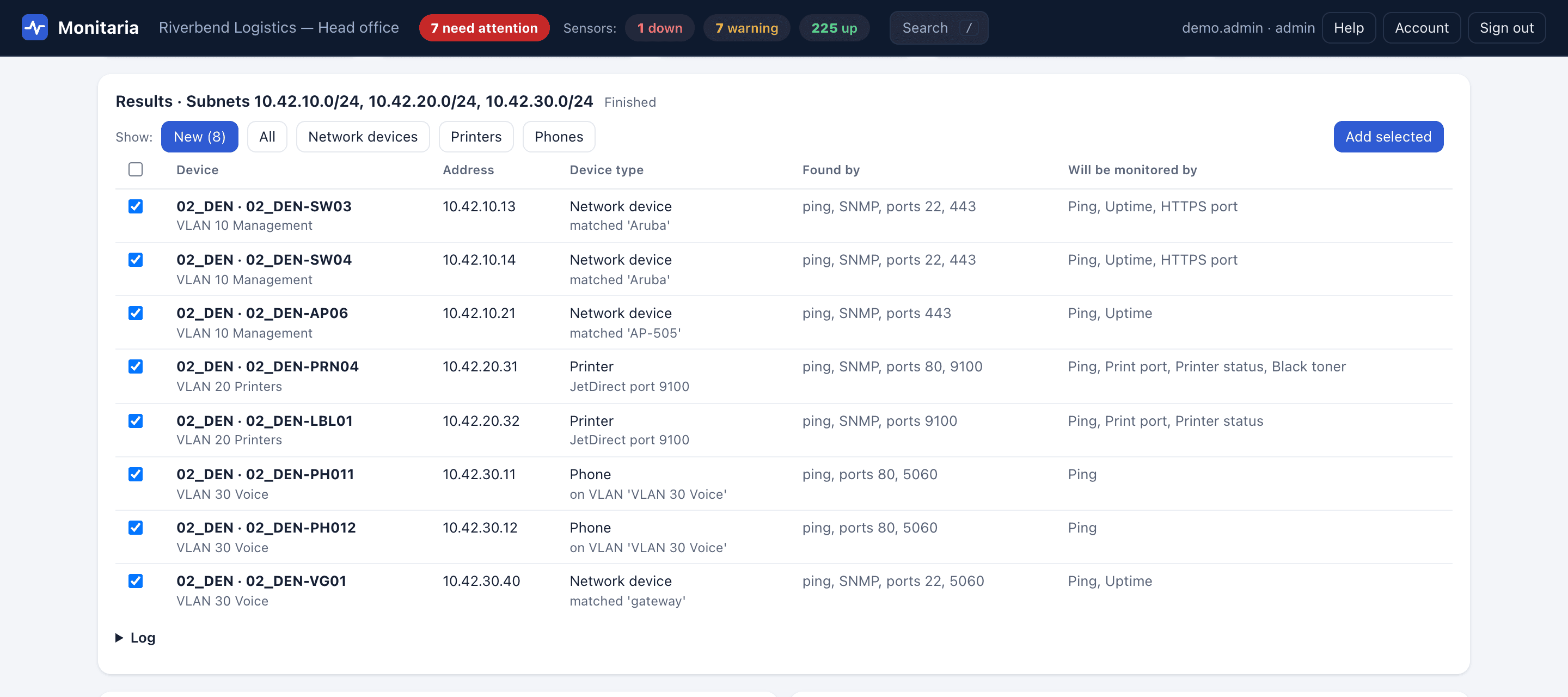
- Discovery reads the networks behind each router and follows CDP/LLDP neighbors to find access points, switches and controllers plugged into monitored gear. Results come back as a checklist with the right sensors for each device.
- Laptops and tablets come and go all day
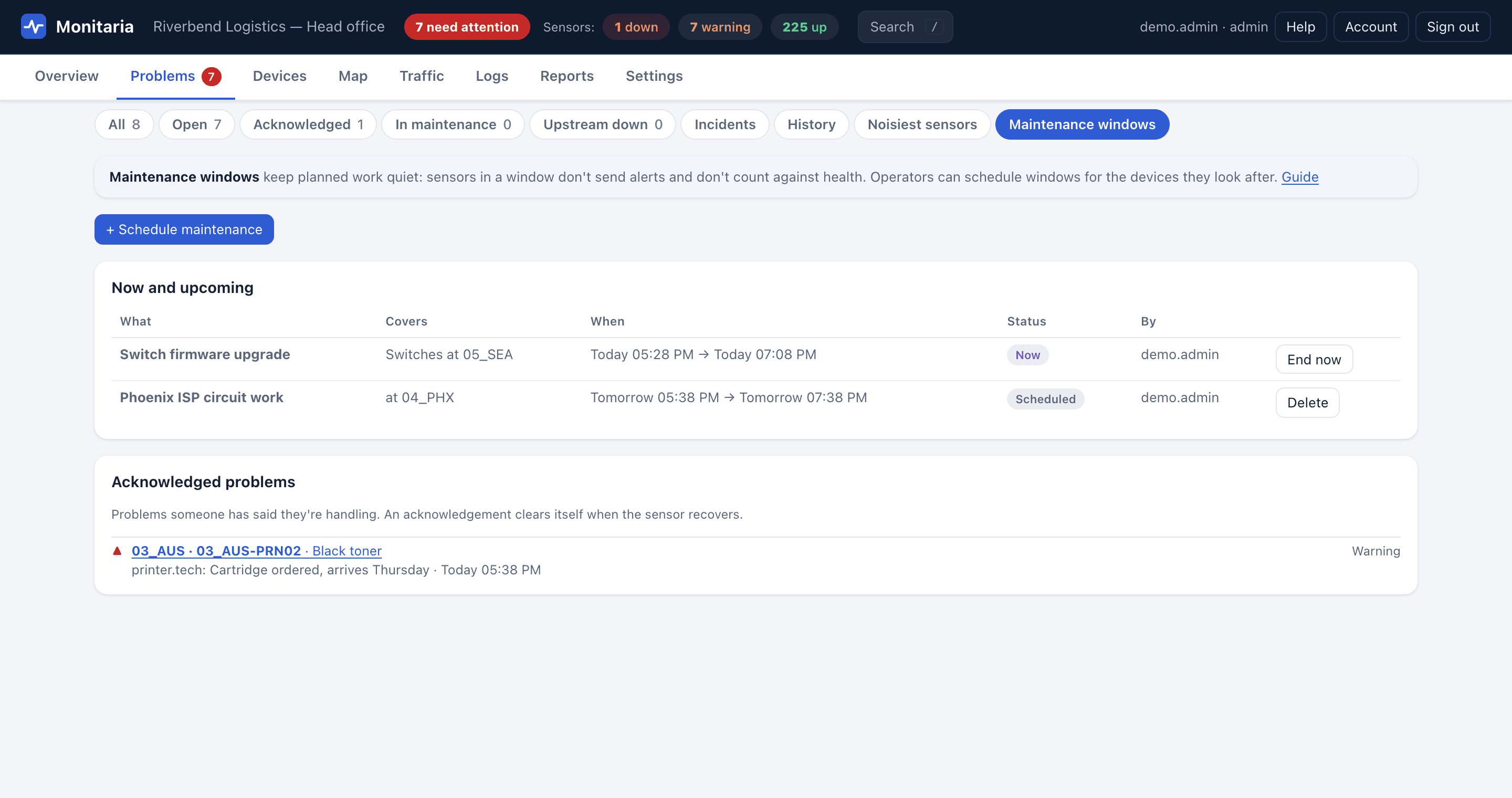
- Computers, laptops, tablets and phones are monitored for presence. One that isn't seen shows as Offline, not down: no alert and no drop in the health score.
- Planned work in the evenings and over breaks
- Maintenance windows cover a device type, a site or single devices, scheduled ahead or started now. Devices in a window send no alerts and don't count against health.
- A technician for each building
- Limit operators and viewers to their sites. They acknowledge and schedule maintenance only inside their scope.
- Who is using the bandwidth
- NetFlow, IPFIX and sFlow show top talkers, applications and conversations, and link utilisation with the 95th percentile. Flow data stays on the collector.
What it looks like
How it connects
Customer network, at each site
- Routers and firewalls
- Switches and Wi-Fi
- Servers and UPS
- Printers, phones, cameras
- Computers and laptops
- Websites and services
Ping, TCP, HTTP(S), DNS, TLS, SNMP v1/v2c/v3, WinRM; NetFlow, sFlow, syslog and traps in
Local collector VM
- Checks every device and keeps the history in SQLite on the VM
- Raises alerts and serves its own dashboard on the local network
- Keeps monitoring when the internet link is down
Site firewall
Outbound HTTPS only
TCP 443 to the hub. A small status snapshot, signed with HMAC-SHA256, with replay protection.
Inbound: nothing
No firewall rules, no VPN, no port forwarding.
Hosted
Monitaria hub
- Every site's status on one dashboard
- Sign-in with Microsoft or Google work accounts
- Flags sites that stop reporting
- Only answers; never connects to a site
Optional: a collector also runs on its own, with no hub.
Also included
- Cloud-managed access points and switches (Meraki, UniFi, Aruba Central) read through their APIs
- Camera, printer and phone monitoring alongside the network
- Availability reports per device for 24 hours to 90 days
- Per-device pricing; sites are unlimited
Try it on your own network
Every collector includes a 30-day evaluation with every feature, counted from the first time it starts. Monitoring and alerts never stop because of licensing.