For managed service providers
Monitor every customer site without a VPN into any of them
Put a collector VM at each customer site. It monitors locally, keeps the customer's network details on the customer's network, and connects out to one hosted hub where your team sees every site.
Onboarding a customer needs no inbound firewall rule, port forward or VPN: import the VM, let it discover the network, and link it to the hub.
What it handles
- Every new customer means another firewall change
- Collectors only connect out, over HTTPS. The hub never connects in. To link a site, Add site on the hub gives you a site ID and secret; paste them into Settings › Hub link on the collector.
- Customers don't want their network details leaving the building
- Only a status snapshot goes to the hub: sensor names, device labels, status and latest values, with addresses in messages replaced. IP addresses, hostnames, monitored URLs, SNMP communities and measurement history stay on the collector.
- One branch router drops and fifty alerts arrive
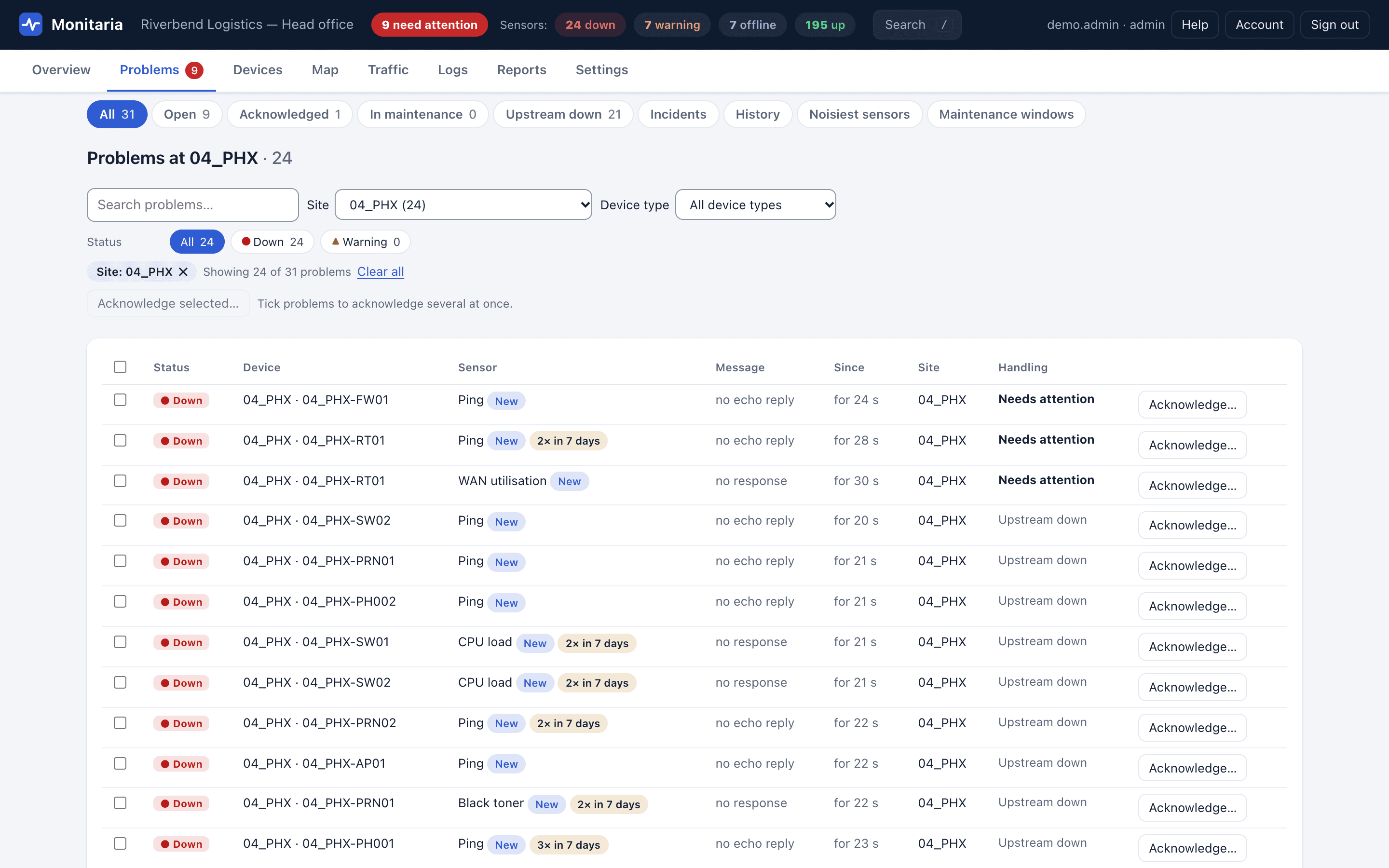
- Devices at a remote site depend on that site's router and firewall automatically. While they are down, everything behind them waits as Upstream down instead of alerting, and incident grouping can send one alert per incident.
- Technicians see more than they need to
- Admin, operator and viewer roles, limited to device types and sites. The limit is enforced on the collector for every screen, report, dashboard and API token, and the hub has the same per-user access by site and device type.
- Monthly customer reviews take an afternoon to prepare
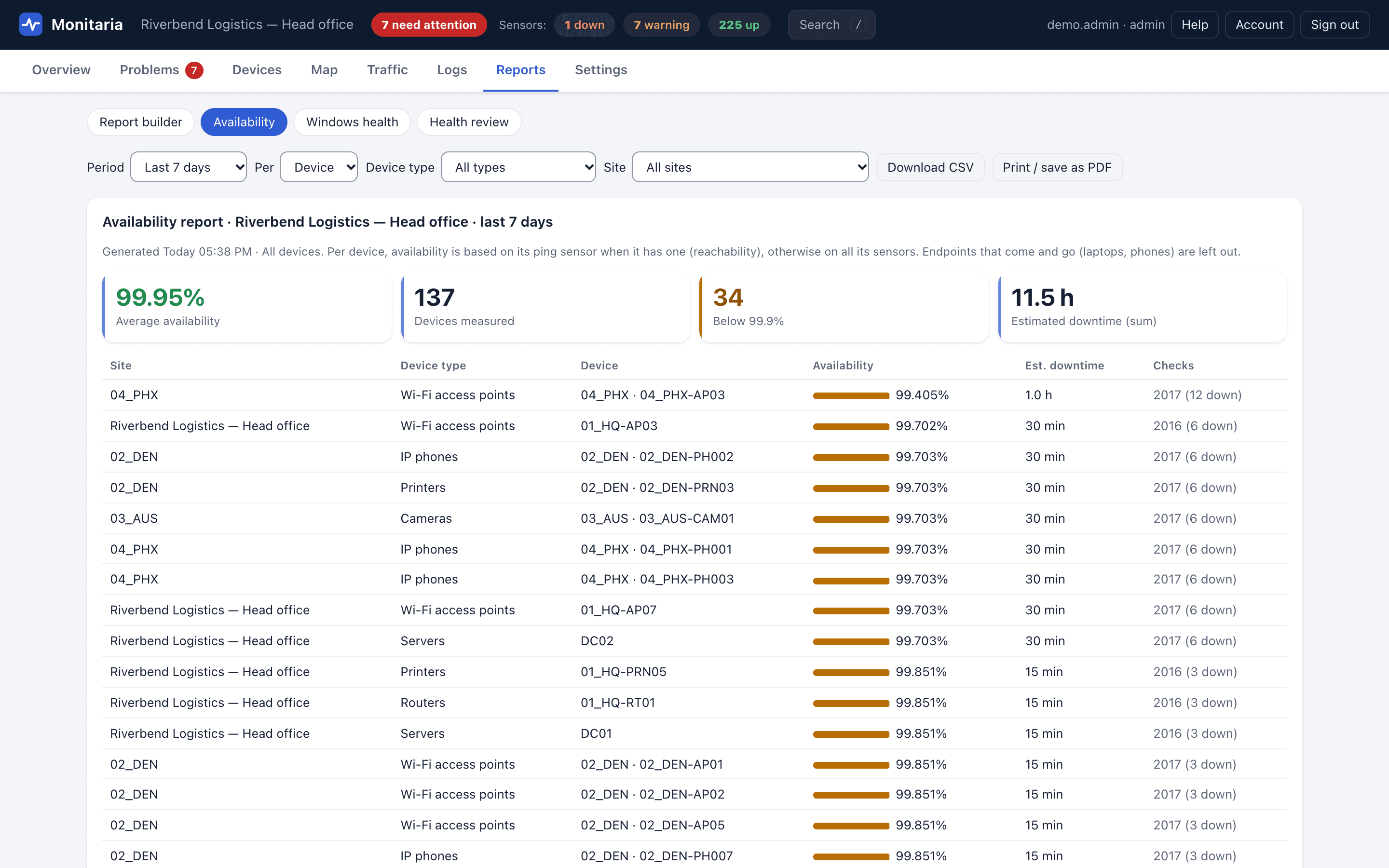
- The report builder saves reports made from sections, with your branding and each customer's, to preview, print or save as PDF, download as HTML or CSV, or email every day, week or month.
- Tickets and documentation live in other tools
- Problems can open tickets in ConnectWise PSA, Autotask, HaloPSA, ServiceNow or Jira Cloud and page PagerDuty, with acknowledgements both ways. Documentation sync keeps one IT Glue configuration or Hudu asset per device up to date.
What it looks like
How it connects
Customer network, at each site
- Routers and firewalls
- Switches and Wi-Fi
- Servers and UPS
- Printers, phones, cameras
- Computers and laptops
- Websites and services
Ping, TCP, HTTP(S), DNS, TLS, SNMP v1/v2c/v3, WinRM; NetFlow, sFlow, syslog and traps in
Local collector VM
- Checks every device and keeps the history in SQLite on the VM
- Raises alerts and serves its own dashboard on the local network
- Keeps monitoring when the internet link is down
Site firewall
Outbound HTTPS only
TCP 443 to the hub. A small status snapshot, signed with HMAC-SHA256, with replay protection.
Inbound: nothing
No firewall rules, no VPN, no port forwarding.
Hosted
Monitaria hub
- Every site's status on one dashboard
- Sign-in with Microsoft or Google work accounts
- Flags sites that stop reporting
- Only answers; never connects to a site
Optional: a collector also runs on its own, with no hub.
Also included
- Per-device pricing with unlimited sites
- Sites that stop reporting are flagged on the hub
- License status and usage for every site on the hub
- Read-only API tokens and signed event webhooks for your own tools
- Hub sign-in with Microsoft or Google work accounts, with approval for new people
Try it on your own network
Every collector includes a 30-day evaluation with every feature, counted from the first time it starts. Monitoring and alerts never stop because of licensing.