Maintenance windows and acknowledgements
Keep planned work quiet and show the team who is handling what.
3 min read
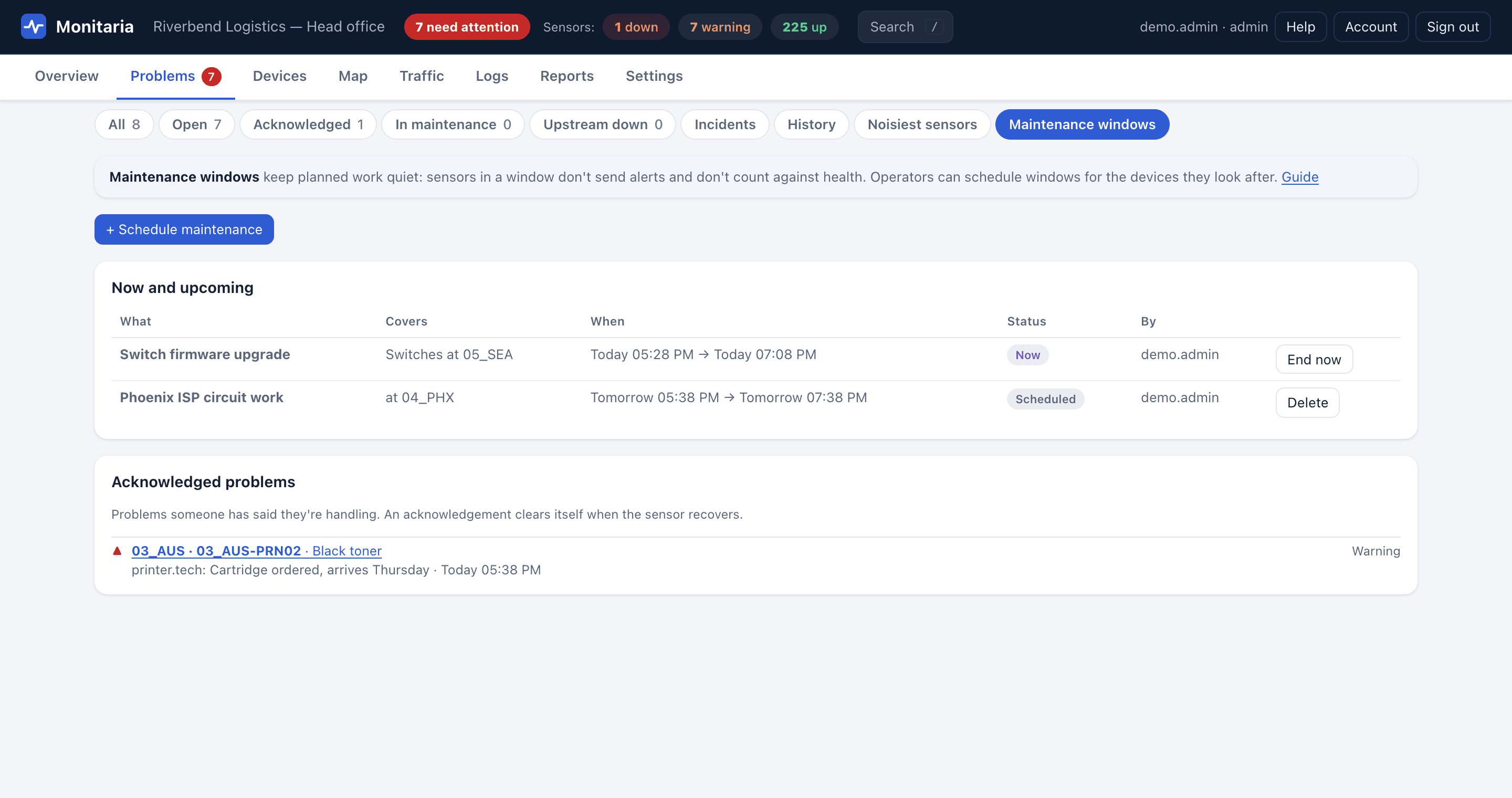
Schedule maintenance
- Open Problems › Maintenance windows and choose + Schedule maintenance, or open a device or a sensor and choose Schedule maintenance….
- Describe the work, pick the start and how long it lasts.
- Choose the device types and sites it covers (or it covers the device you started from).
During the window, covered sensors send no alerts and don't count against the health score. A banner on the Overview shows what's in maintenance now. End a window early with End now.
Acknowledge a problem
Open a sensor that's down or warning and choose Acknowledge…, with an optional note such as a ticket number. Everyone sees who is on it, acknowledged problems sort below new ones, and the acknowledgement clears itself when the sensor recovers.
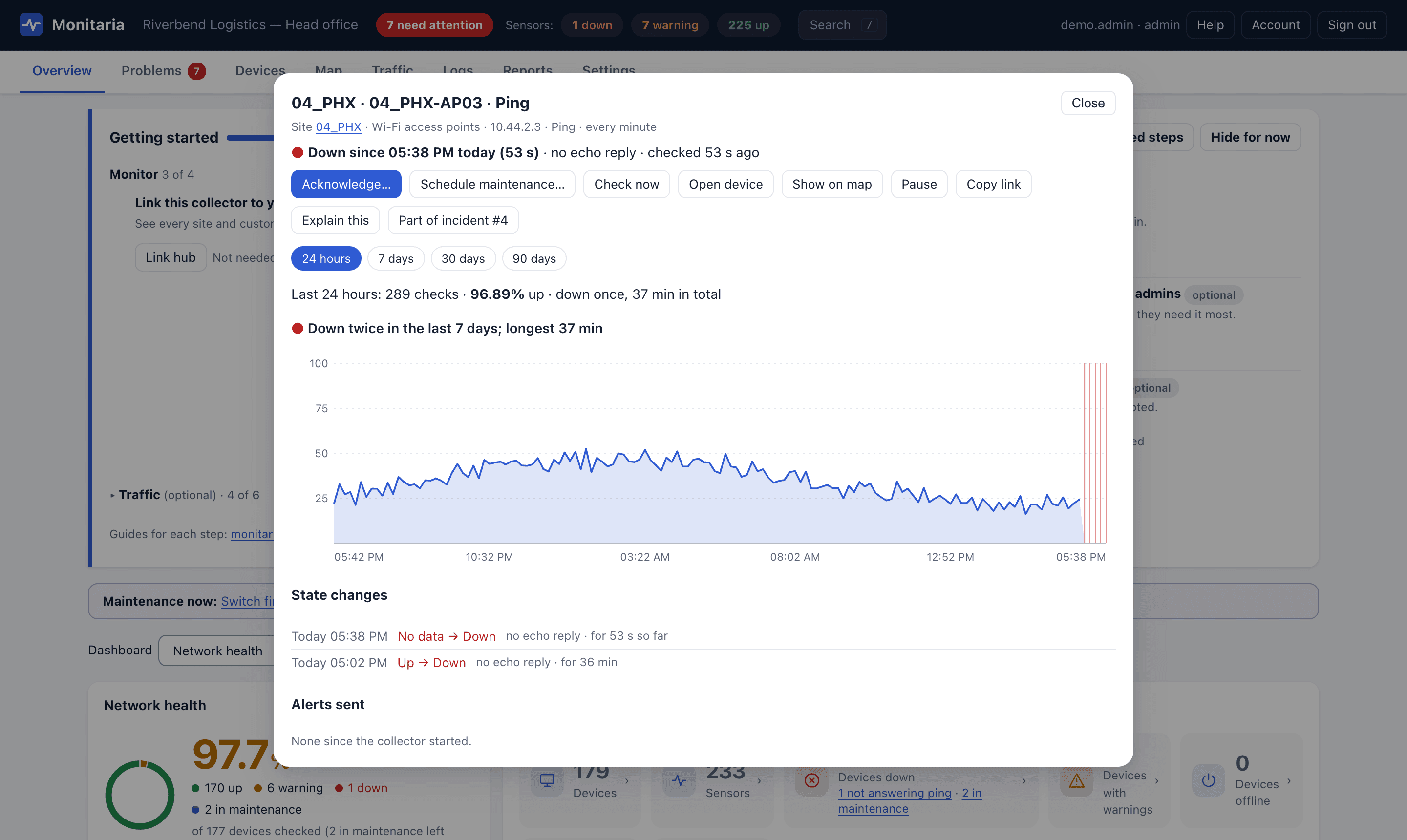
Tip: Operators can do both for the devices in their scope, so a printer technician can silence a printer during a fuser swap without touching anything else.