Users, roles and access control
Give each person exactly the devices they look after: a printer technician sees printers, a site lead sees their site.
5 min read · For admins
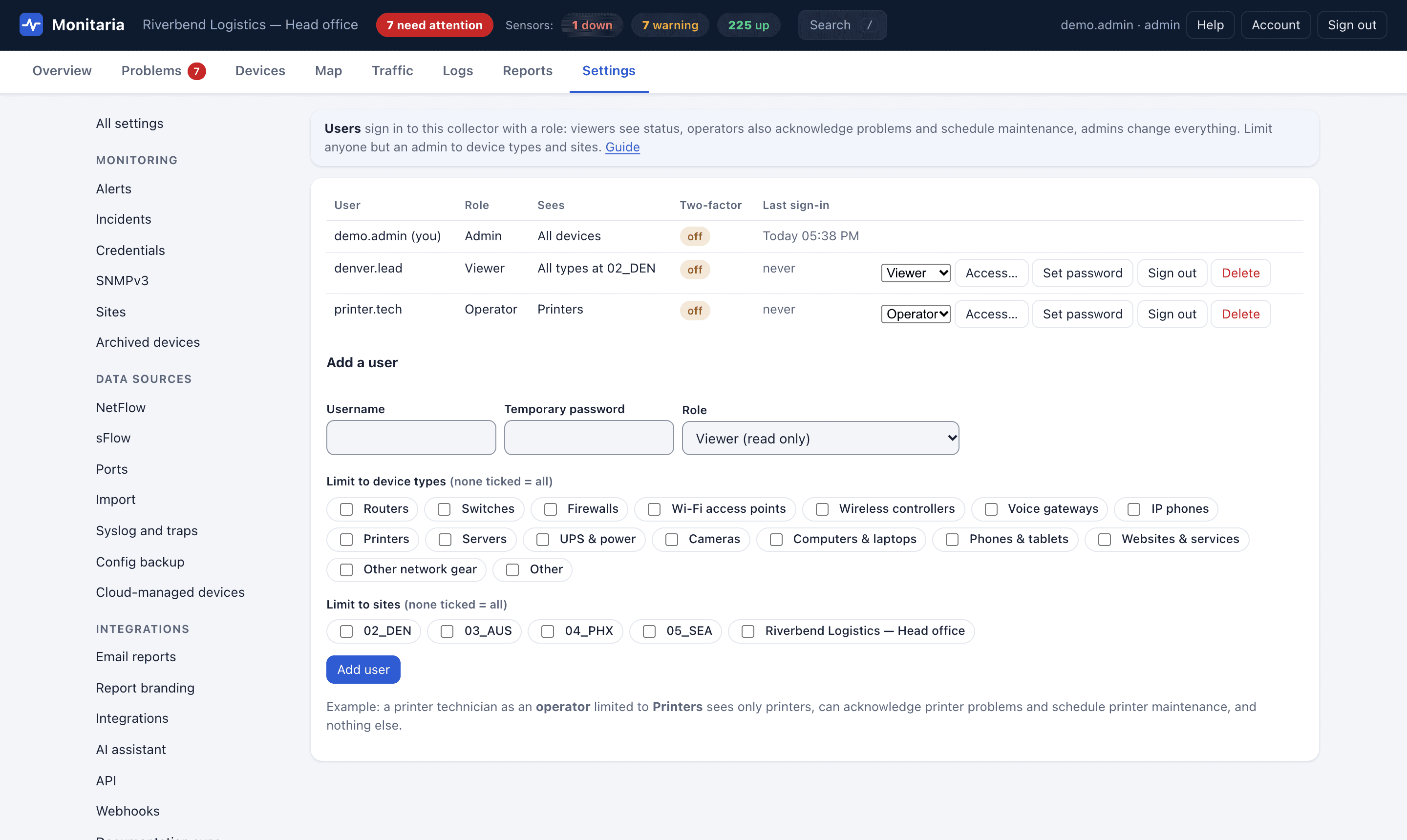
Every collector has local accounts with three roles. Operators and viewers can also be limited to a scope: some device types, some sites, or both.
- Admin: everything, including users, alerts, discovery and security settings.
- Operator: acknowledge problems and schedule maintenance for the devices they can see.
- Viewer: read-only status, dashboards and reports for the devices they can see.
Create a printer technician
- Open Settings › Users and fill in a username and temporary password.
- Choose the Operator role.
- Under Limit to device types, tick Printers. Leave sites empty to cover every site.
- Choose Add user and give them the temporary password. They change it under Account.
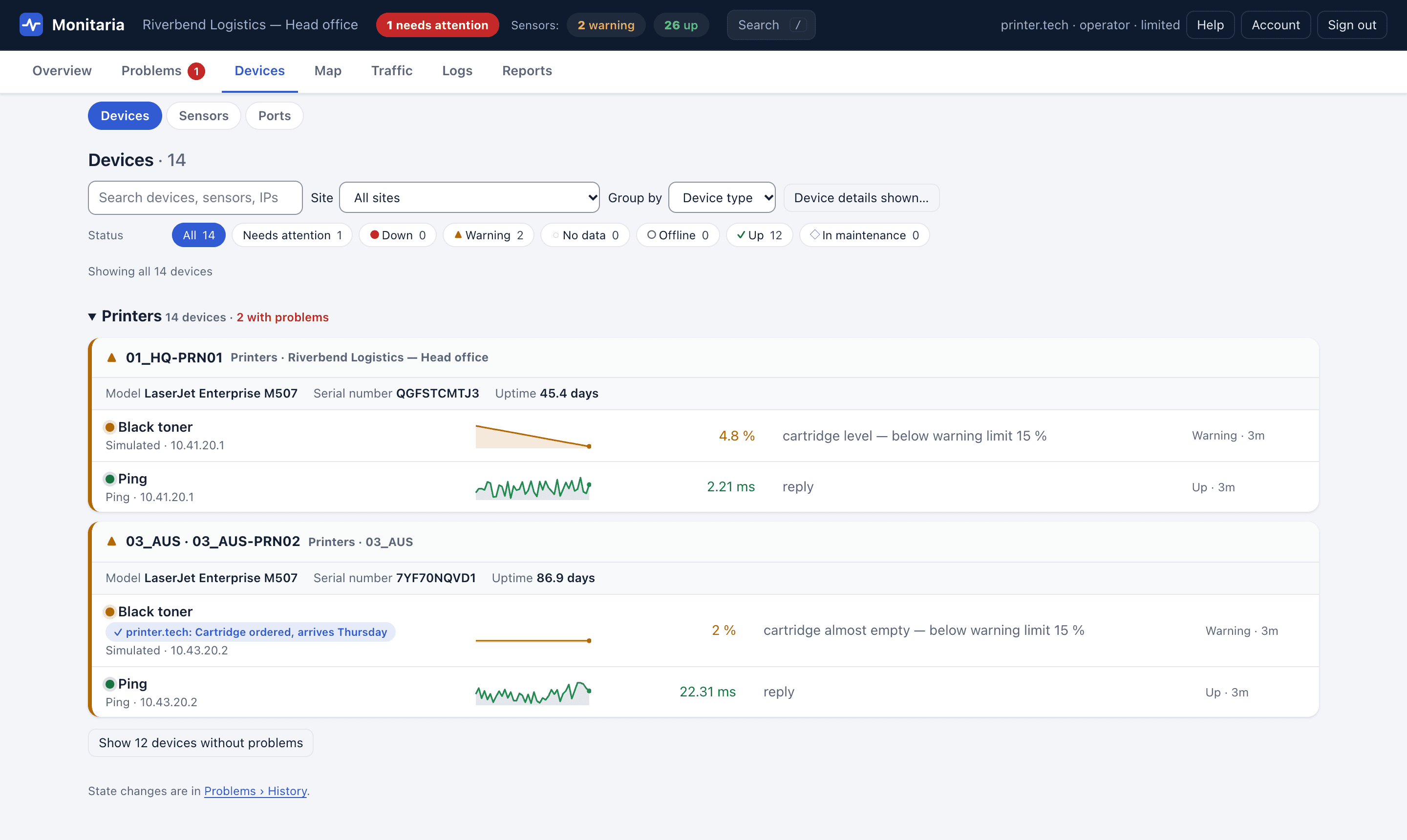
A scope is enforced on the collector, not just hidden in the page: status, events, history, reports, dashboards and the API only ever return devices in scope. Operators can only acknowledge and schedule maintenance inside their scope.
The same on the hub
On the hub, owners and admins see the whole organization. Viewers can be limited to some sites and device types with Access… in the Users dialog.
Security policy
- Require two-factor sign-in for admins or for everyone (Settings › Security).
- Sign out idle browsers after a set number of minutes.
- See who is signed in and end any session (Settings › Sessions); users can end their own under Account.
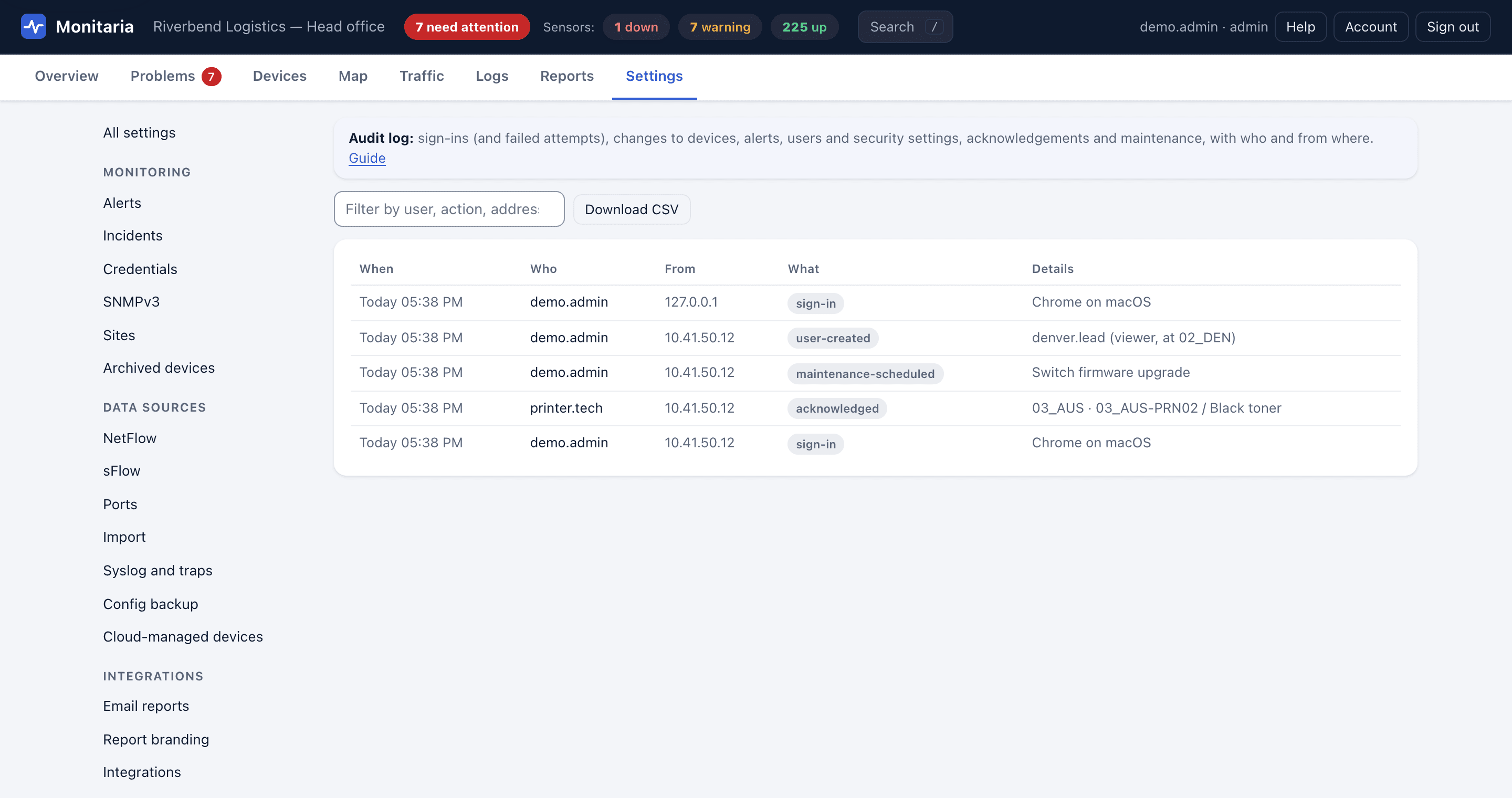
- Every sign-in, failed attempt and change is in the audit log (Settings › Audit log), downloadable as CSV.